Image Order Issue
When using QR Batch Upload, different operating systems handle file ordering differently. On some systems (such as macOS), images may be uploaded in reversed order. This means the QR code images might not be properly detected as set separators, resulting in fewer sets being detected than expected.
Symptoms
After selecting images and opening the QR Batch Upload dialog, the Detection Summary shows far fewer sets than expected. For example, only 1 set detected from 11 images, when there should be multiple sets.
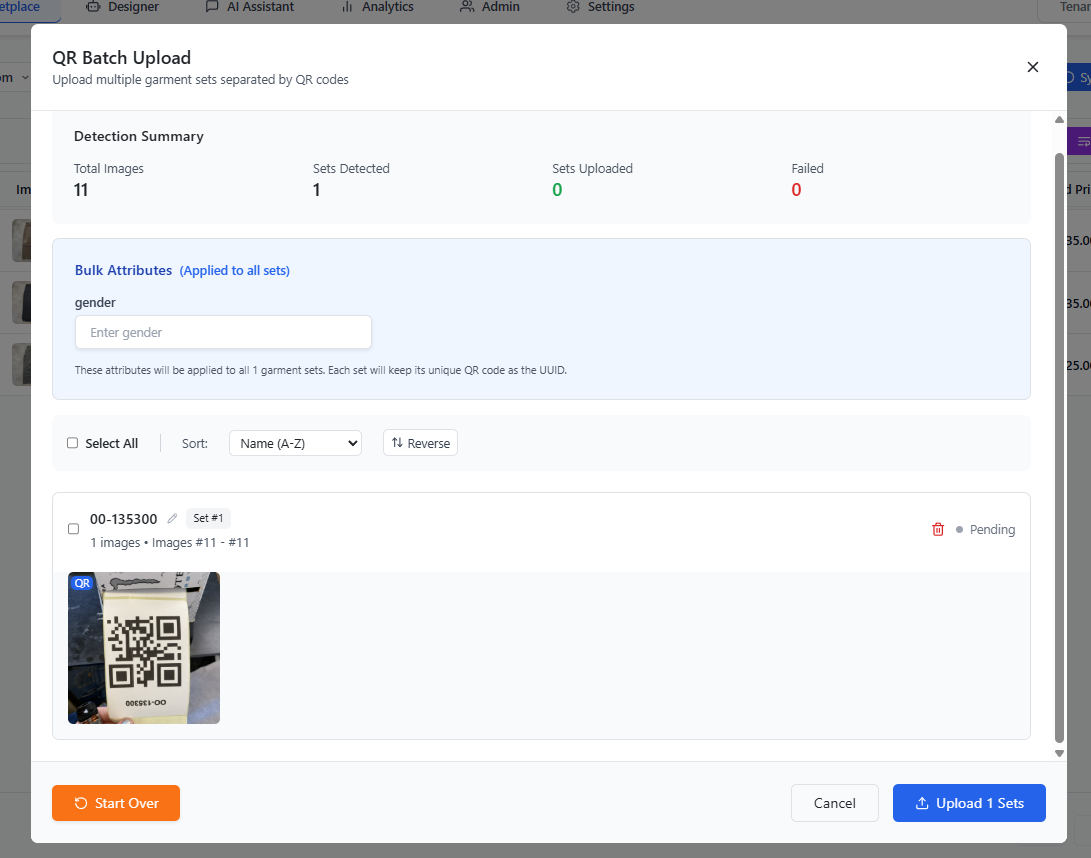
Solution
Click the Reverse button in the QR Batch Upload dialog. This reverses the image order so that the QR codes are correctly recognized as set separators.
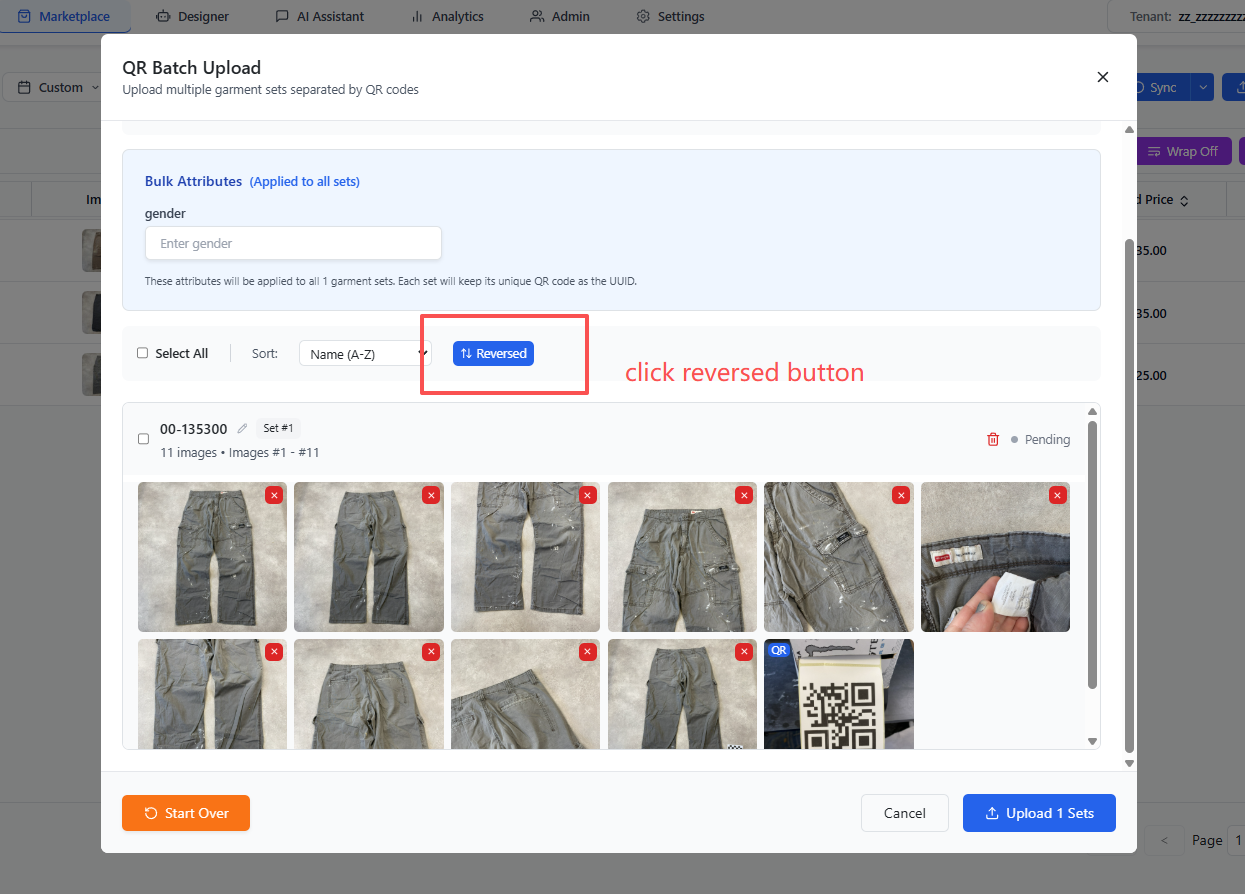
After clicking Reverse, the Detection Summary will update to show the correct number of sets, and you can proceed with the upload normally.