Getting Started with Aistetic API
This guide will walk you through the process of setting up and using the Aistetic API for garment analysis.
Registration Process
To use the Aistetic API, follow these steps to register and obtain your API credentials:
1. Register Your Account
Visit https://dashboard.aistetic.com to create your account.

2. Sign Up with Personal Information
Complete the registration form with your details.
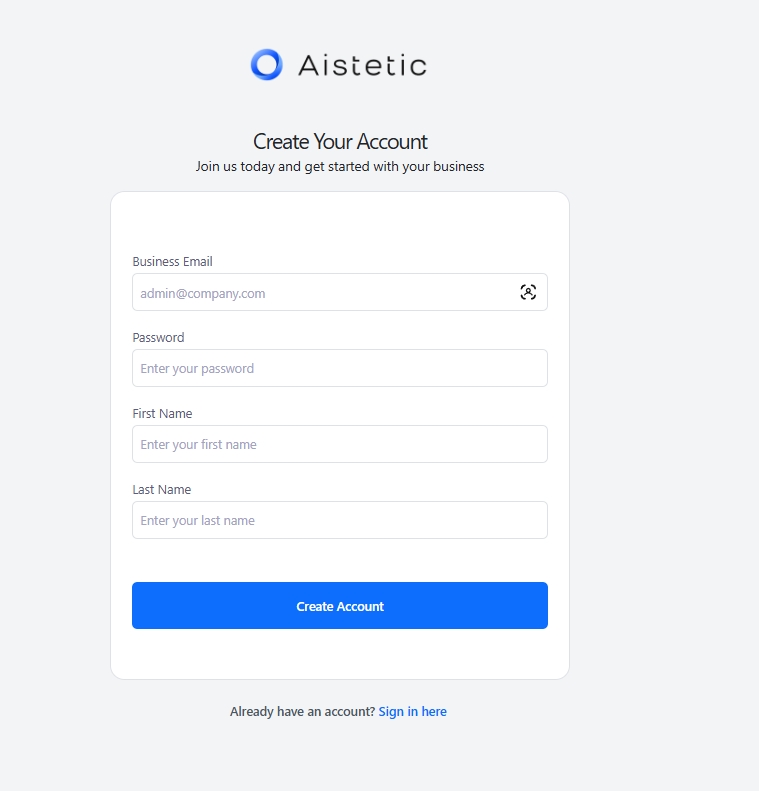
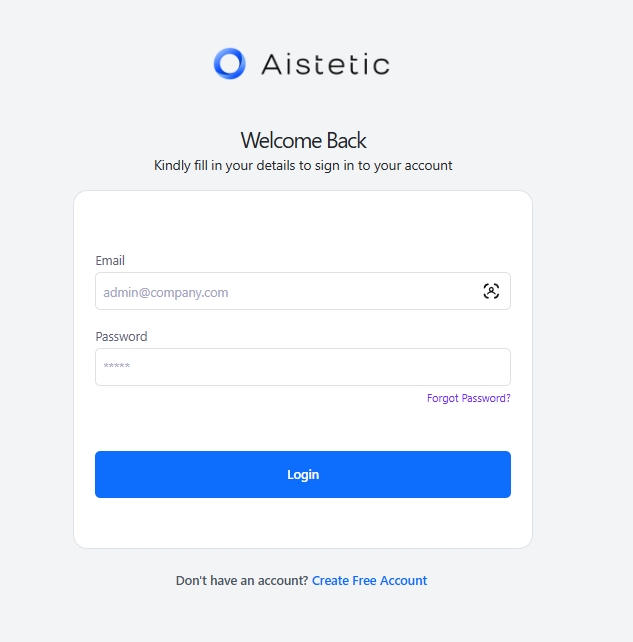
3. Login to Your Account
Log in with your newly created credentials.
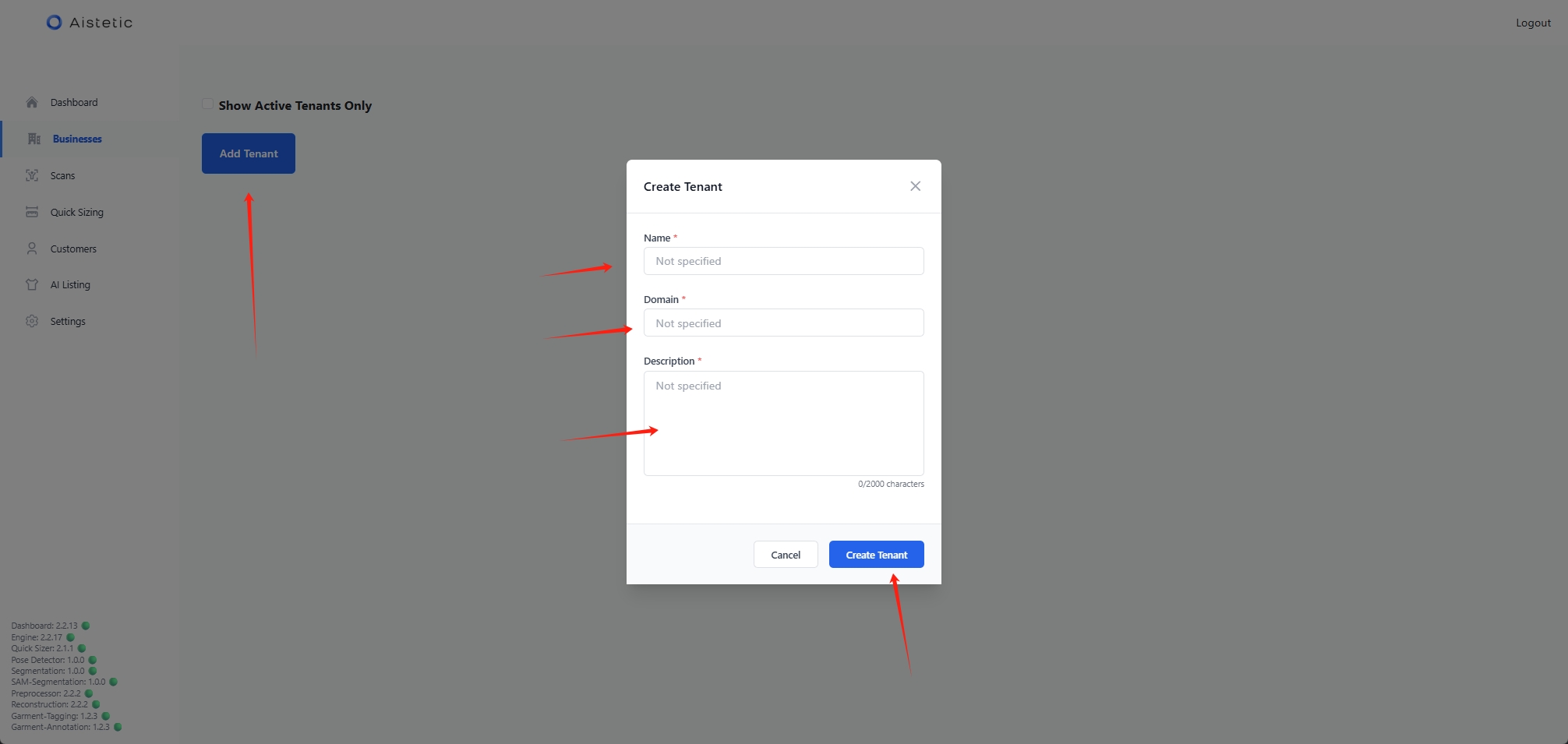
4. Create a Tenant
Fill in all required fields to create your tenant.
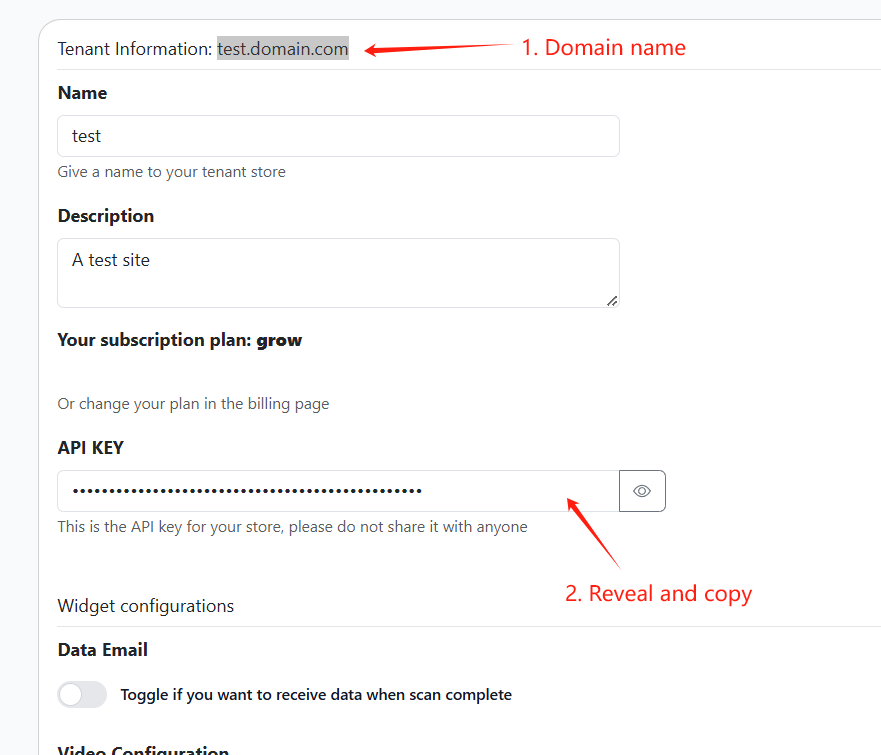
5. Select Your Tenant and Copy API Key
Click on the tenant you just created and save the API credentials for authentication.
Next Steps
After setting up your account and obtaining your API key, you can:
- Review the API Reference for detailed endpoint information
- Learn how to prepare data with our CSV Preparation Guide
- Understand Camera Calibration for accurate measurements
System Requirements
- API Rate Limit: 6 requests per minute
- Supported Image Formats: JPG, PNG, WEBP
- Maximum Image Size: 10MB
- Recommended Image Resolution: At least 1000px on the longest side